Google Play Reviews
The Google Play Reviews integration allows the admin to pull detailed user feedback, ratings, and device metadata for their Android applications directly into Whatsdash for app performance tracking and reputation management.
Why Connect Google Play Reviews to Whatsdash?
Integrating your Google Play Reviews with Whatsdash transforms user feedback from the Play Store into essential metrics on your centralized dashboard, enabling proactive reputation management and data-driven product improvements.
-
Real-Time Sentiment Analysis: Instantly track average ratings, sentiment trends, and common topics mentioned in reviews to understand user satisfaction and app health.
-
Unified Feedback Management: Consolidate app reviews alongside your other customer service and product metrics (e.g., bug reports, app store revenue) for a holistic view of the user experience.
-
Actionable Insights for Product Teams: Use Dimensions like Device and Android OS Version to quickly identify app issues that are specific to certain devices or operating systems, allowing development teams to prioritize fixes.
📋 Steps to Integrate your Google Play Reviews to Whatsdash
The integration process involves securely linking your Google Play Developer account and specifying the application you wish to track.
✔️ Navigate to the 'Integrations' page using the Navigation bar.
✔️ Select Google Play Reviews from the Available Integrations.

✔️ Click the + button to open the connection window.

✔️ Enter the Package Name of the app you want to track.This is the unique, reverse-domain identifier of your app on the Play Store.

✔️ Click Next button. You will be redirected to a Google sign-in page.
✔️ Select the Google account that is linked to your Google Play Developer Console.
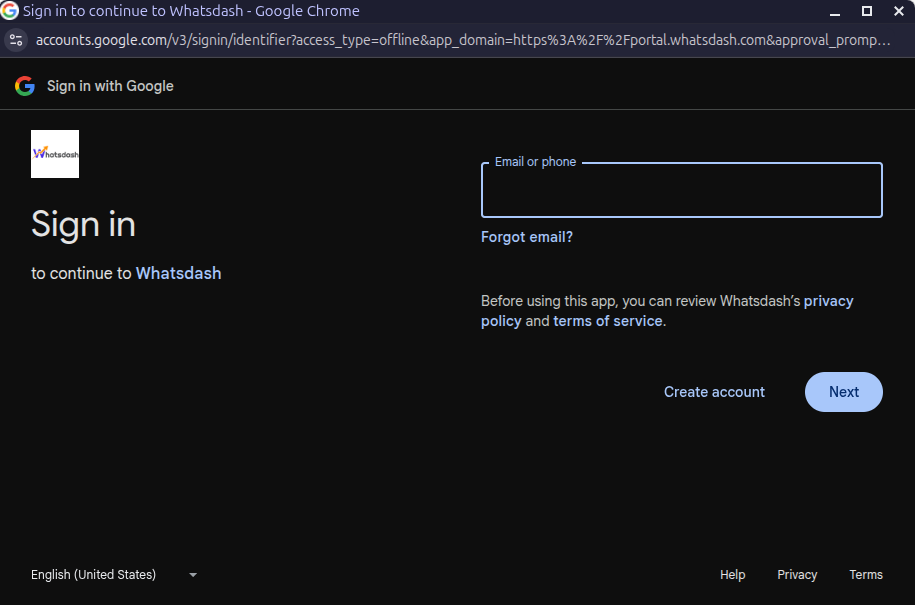
✔️ Grant Whatsdash the necessary permissions to Read your Google Play Review data.
✔️ Once authenticated, you will be directed back to Whatsdash. Your Google Play Reviews Integration will appear in the Connected Integrations list.
✔️ You can now create or customize dashboards using your app review Metrics and Dimensions.
👉 How to visualize this data in your dashboard, visit the Dashboard Documentation Guide.
🔗 Google Play Reviews Metrics
The table below lists the Google Play Reviews Metrics available through the Whatsdash Google Play Reviews Integration.
| Name | Category | Why It’s Useful |
|---|---|---|
| Number of reviews | Reviews | Measures the total user feedback volume, useful for tracking engagement growth. |
| Average rating | Review | Indicates overall user satisfaction and app quality perception. |
| Thumbs up | Reviews | Shows how many users found a review helpful, useful for gauging review credibility. |
| Thumbs down | Reviews | Highlights unhelpful reviews, helping monitor feedback quality. |
🔗 Google Play Reviews Dimensions
The table below lists the Google Play Reviews Dimensions available through the Whatsdash Google Play Reviews Integration.
| Name | Category | Why It’s Useful |
|---|---|---|
| Review Id | Reviews | Identifies each unique review for easy reference and filtering. |
| Ratting | Reviews | Shows user sentiment towards your app, helping track satisfaction trends. |
| Reviewer Name | Reviews | Helps identify repeat reviewers or key user segments. |
| Text | Reviews | Provides direct user feedback to understand issues or praise. |
| Review Date | Reviews | Tracks when reviews are received to analyze trends over time. |
| ReplyText | Reviews | Displays developer responses, useful for engagement analysis. |
| Device | Reviews | Identifies device models, helping correlate issues with specific hardware. |
| Android Version | Reviews | Reveals compatibility or performance issues across Android versions. |
| Device Manufacturer | Reviews | Helps detect brand-specific app performance or feedback trends. |
| Year | Time | Enables year-based trend analysis of reviews. |
| Year Of Week | Time | Helps group reviews by year and week for consistent weekly trends. |
| Year Of Week(ISO) | Time | ISO-standard week grouping for precise international time analysis. |
| Year Month | Time | Allows monthly trend reporting and seasonal analysis. |
| Month | Time | Enables aggregation of reviews and ratings by month. |
| Year Week | Time | Helps evaluate weekly review trends over the year. |
| Year Week(ISO) | Time | Provides consistent weekly comparison across locales. |
| Week | Time | Useful for identifying weekly spikes or dips in user feedback. |
| Week(ISO) | Time | ISO-compliant week segmentation for international reporting. |
| Day Of Month | Time | Enables daily tracking of review volume or sentiment. |
| Day Of Week Name | Time | Helps detect patterns like higher reviews on weekends. |
| Day Of Week Name(ISO) | Time | Provides standardized weekday mapping for multi-region consistency. |
| Date | Time | Allows detailed day-by-day trend analysis for precise time-based insights. |
🔗 Explore More Integrations
Whatsdash supports a wide range of marketing, analytics, and eCommerce integrations to give you a holistic view of your business performance.
👉 Visit the Integrations Page to explore all available connections