Pinterest Insights
Pinterest Insights is the official reporting and analytics suite for Pinterest Business Accounts. It provides detailed metrics and dimensions about the performance of your organic content (Pins and Boards) and paid campaigns (Promoted Pins), as well as a deep understanding of your audience.
Why Connect Pinterest Insights to Whatsdash?
Integrating your Pinterest data with Whatsdash transforms raw performance and audience data into clear, actionable business intelligence alongside your other marketing and sales channels.
-
Conversion & Traffic Attribution : Track Outbound Clicks and Conversions from specific Pins, allowing you to attribute sales and traffic directly back to your Pinterest content and campaigns.
-
Content Performance & Engagement : Monitor Impressions, Saves, and Pin Clicks to quickly identify high-performing content types and topics that are inspiring your audience and driving viral reach.
-
Audience Insights & Optimization : Segment performance by Age, Gender, and Interest to refine your targeting and ensure your content effectively reaches your target demographic.
-
Cross-Platform Social View : Compare Pinterest's unique engagement metrics (like Saves) against other social channels to understand which platform is most effectively building product interest and purchase intent.
📋 Steps to Integrate your Pinterest Insights account to Whatsdash
✔️ Navigate to the 'Integrations' page using the navigation bar at the top.
✔️ Select Pinterest Insights from the list of Available Integrations.

✔️ Click the + button to open the Pinterest authorization window.

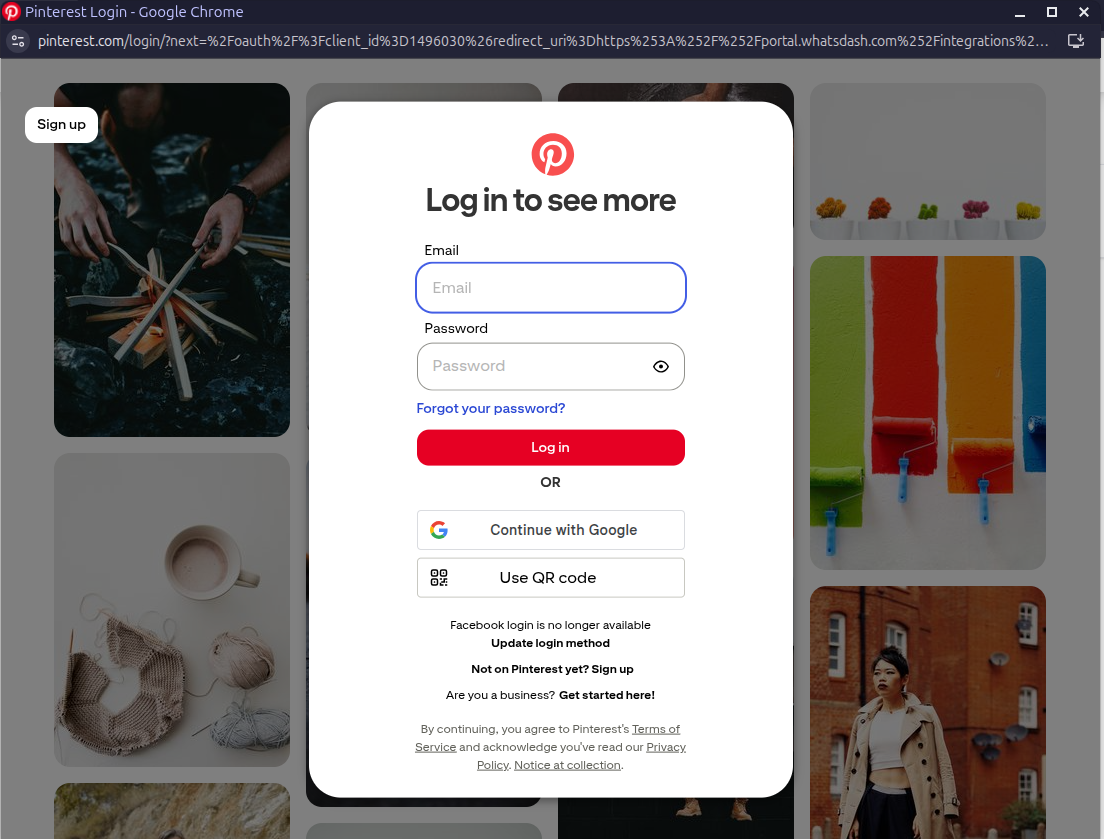
✔️ You will be redirected to the Pinterest sign-in page. Log in with the account that has access to your Pinterest Business Profile.
✔️ Grant Whatsdash the necessary permissions to Read your Pinterest Analytics and Ads data.
✔️ Once authenticated, you will be directed back to Whatsdash. Your Pinterest Insights Integration will appear in the Connected Integrations list.

✔️ You can now create or customize dashboards using your Pinterest Insights Metrics and Dimensions.
👉 How to visualize this data in your dashboard, visit the Dashboard Documentation Guide.
🔗 Pinterest Insights Metrics
The table below lists the Pinterest Insights Metrics available through the Whatsdash Pinterest Insights Integration.
| Name | Category | Why it’s Useful |
|---|---|---|
| Impressions | User Analytics | Shows how many times your Pins were displayed, helping measure content visibility. |
| Engagement | User Analytics | Tracks total user interactions, indicating overall interest in your content. |
| Engagement Rate | User Analytics | Helps evaluate how engaging your Pins are by comparing interactions to impressions. |
| Outbound Clicks | User Analytics | Reveals how many times users clicked to visit external sites, measuring referral traffic. |
| Outbound Clicks Rate | User Analytics | Indicates the effectiveness of Pins in driving users to your website. |
| Pin Clicks | User Analytics | Measures how often users clicked on a Pin to view it in detail, showing engagement depth. |
| Pin Click Rate | User Analytics | Helps assess click efficiency by showing the percentage of users who clicked after viewing. |
| Save | User Analytics | Tracks how many users saved your Pin, reflecting content value and inspiration potential. |
| Save Rate | User Analytics | Shows the percentage of users who saved Pins, useful for understanding content appeal. |
| Video Average Watch Time | User Analytics | Measures how long users watch videos, helping gauge content quality and retention. |
| Video 50% Watch | User Analytics | Indicates how many viewers watched at least half of your video, showing engagement strength. |
| 95th Percentile View Count | User Analytics | Helps identify high-performing videos by showing the top 5% of view counts. |
| Video Start | User Analytics | Measures the percentage of users who start watching your videos, indicating initial interest. |
| Video 10s Views | User Analytics | Tracks how often users watched videos for at least 10 seconds, revealing meaningful engagement. |
| Video Media Response Rate | User Analytics | Evaluates how effectively video content generates responses or actions. |
| Video 50% Watch | Pin Analytics | Shows engagement with videos at the Pin level by measuring 50% watch completion. |
| 95th Percentile View Count | Pin Analytics | Highlights top-performing Pins based on video view distribution. |
| Save | Pin Analytics | Tracks how many users saved a specific Pin, indicating individual content performance. |
| Video Start | Pin Analytics | Measures how many users start a video from a specific Pin, showing appeal. |
| Video Media Response Rate | Pin Analytics | Assesses user response and interaction rate for video Pins. |
| Pin Clicks | Pin Analytics | Tracks how often users clicked a specific Pin for more details, measuring engagement. |
| Outbound Clicks | Pin Analytics | Shows how many users clicked a link within a Pin to leave Pinterest. |
| Impressions | Pin Analytics | Indicates how many times a Pin appeared in users’ feeds or searches. |
| Video 10s Views | Pin Analytics | Reveals the number of users who watched a specific Pin’s video for 10 seconds or more. |
| Save Rate | Pin Analytics | Shows the ratio of saves to impressions for Pins, indicating visual content effectiveness. |
| Video Average Watch Time | Pin Analytics | Measures average time users spend watching a video Pin, useful for optimizing length and content quality. |
🔗 Pinterest Insights Dimensions
The table below lists the Pinterest Insights Metrics available through the Whatsdash Pinterest Insights Integration.
| Name | Category | Why it’s Useful |
|---|---|---|
| Date | User Analytics | Helps analyze performance trends over specific time periods. |
| Date | Pin Analytics | Allows tracking of individual Pin activity over time for better trend analysis. |
| Link | Pin Analytics | Identifies the destination URL for a Pin, useful for tracking referral sources and traffic. |
| Title | Pin Analytics | Helps recognize Pins by their titles, aiding in performance comparison across content types. |
| Type | Pin Analytics | Categorizes Pins by media type (image, video, etc.), useful for comparing engagement across formats. |
🔗 Explore More Integrations
Whatsdash supports a wide range of marketing, analytics, and eCommerce integrations to give you a holistic view of your business performance.
👉 Visit the Integrations Page to explore all available connections