🏁 'Begins With' and 'Not Begins With' Filters
🔤 Begins With Filter in Whatsdash
The Begins With filter in Reports helps you find records that start with a specific prefix.
Example:
Suppose your store sells products such as NIKE Air Zoom Shoes, NIKE Running Shorts, Adidas Ultraboost, and Puma Hoodie.
If you apply the Begins With filter with the value “NIKE”, your report will display only the products that start with “NIKE” — such as:
- NIKE Air Zoom Shoes
- NIKE Running Shorts
- NIKE Sports Jacket
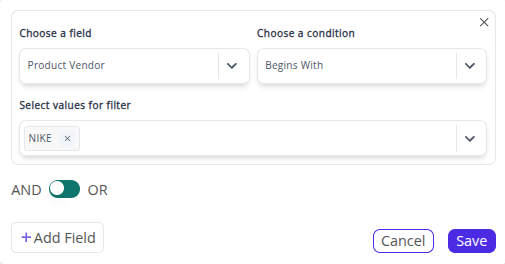
💡 Use the Begins With filter when you need to focus on items that share the same prefix — such as brand names, product categories, or SKU patterns.
🚫 Not Begins With Filter in Whatsdash
The Not Begins With filter in Reports helps you exclude records that start with a specific prefix, showing all other data instead.
Example:
Using the same dataset, if you apply the Not Begins With filter with the value “NIKE”, your report will exclude all NIKE products and instead display other brands, such as:
- Adidas Ultraboost
- Puma Hoodie
- Reebok Training Tee
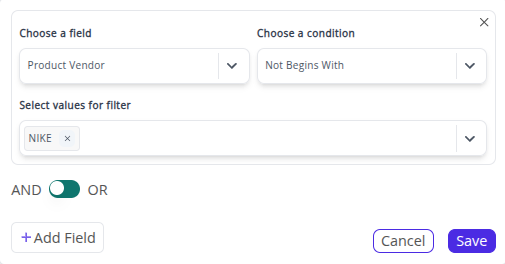
💡 The Not Begins With filter is ideal for excluding a specific brand, prefix, or series when you want to analyze the rest of your product data.
➡️ Next Filter: 🔚 Ends With & Not Ends With Filters