🔎 'Is' & 'Is Not' Filters
Easily refine your reports by including or excluding records that exactly match a specific value or parameter.
✅ Is Filter
The 'Is' filter in Reports retrieves results that exactly match the parameter you specify.
Example:
If you apply the 'Is' filter to the Brand field with the parameter "NIKE", the report will display only NIKE products — such as NIKE Air Zoom Pegasus, NIKE Sports Jacket, and NIKE Dri-FIT T-shirt.

🚫 Is Not Filter
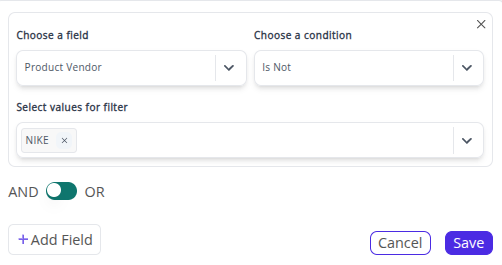
The 'Is Not' filter in Reports excludes results that match the specified parameter.
Example:
If you apply the 'Is Not' filter to the Brand field with the parameter "NIKE", the report will exclude all NIKE products and display only non-NIKE items such as Adidas Ultraboost Sneakers, Puma Classic Hoodie, Levi’s Denim Jacket, and Zara Cotton Shirt.
💡 Tip: You can combine 'Is' and 'Is Not' filters across multiple fields (e.g., Brand, Product Type, Order Status) to fine-tune your reports and extract exactly the insights you need.
➡️ Next Filter: 🧩 Include & Exclude Filters