Constant Contact
Constant Contact is a widely used email marketing and marketing automation platform that helps businesses create, send, and track professional email campaigns, manage contact lists, and drive audience engagement.
Connecting Constant Contact to Whatsdash lets you quickly and easily review your email campaign performance, audience growth, and crucial engagement rates as they contribute to your overall marketing goals.
Why Connect Constant Contact to Whatsdash?
Integrating your Constant Contact data with Whatsdash centralizes your email marketing reporting, allowing you to measure the effectiveness of your communications and see how email contributes to conversions alongside other channels.
-
Campaign Effectiveness : Track essential Metrics like Open Rate, Click Rate , and Bounce Rate for every campaign to quickly optimize subject lines and content.
-
Audience Health & Growth : Monitor List Growth, Subscribes, and Unsubscribes over time to ensure the health of your email list and measure audience acquisition success.
-
Channel Comparison : See email revenue and engagement metrics alongside social media, paid ads, and website analytics (like GA4) to assess the true ROI of your email channel.
-
Automated Reporting : Get instant, visual reports on email performance without logging into the Constant Contact platform, saving time on manual data compilation.
📋 Steps to Integrate your Constant Contact account to Whatsdash
✔️ Navigate to the 'Integrations' page using the Navigation bar.
✔️ Select Constant Contact from the list of Available Integrations.
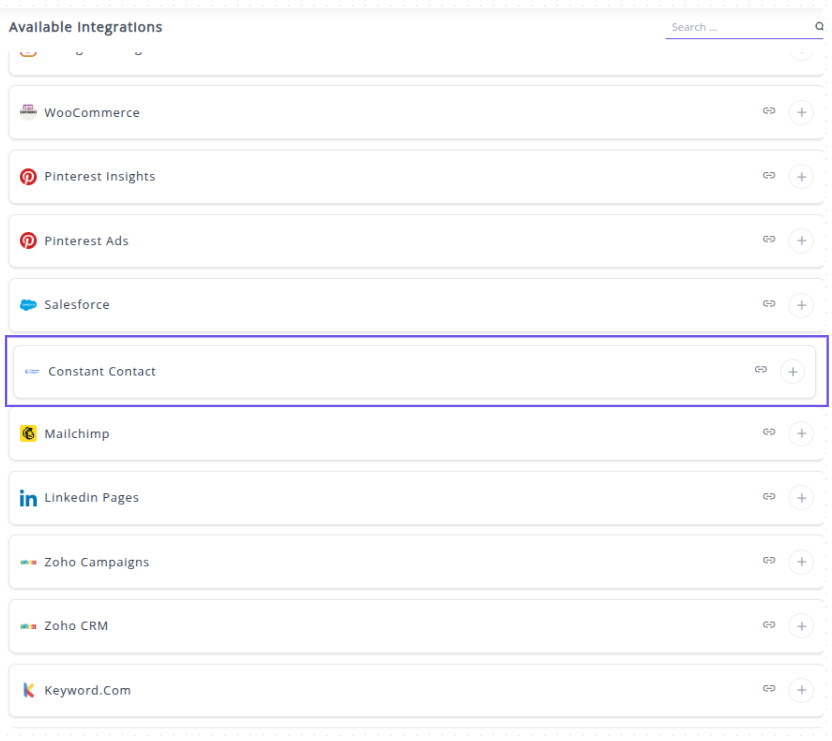
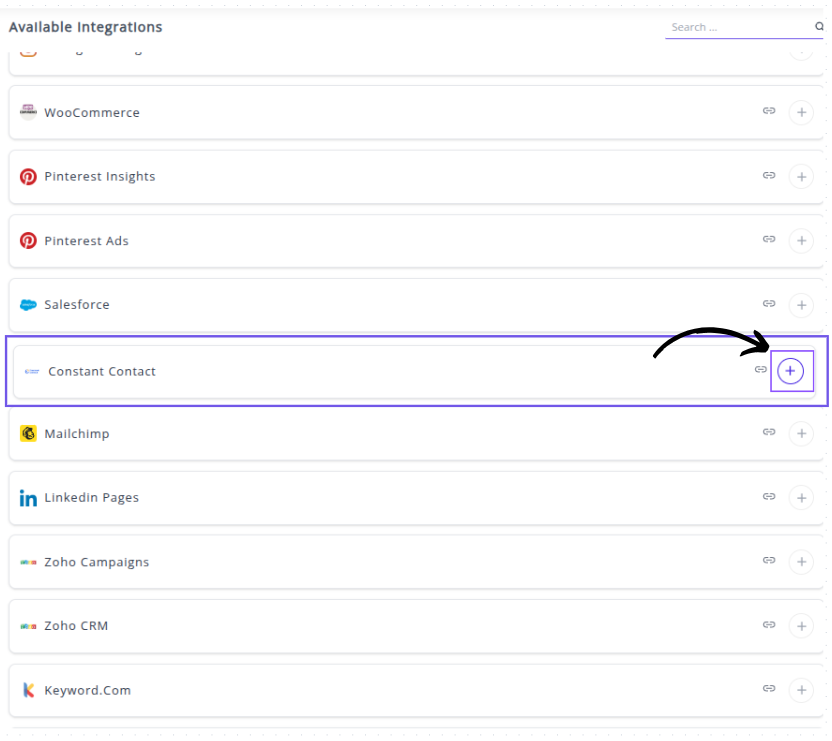
✔️ Click the + button to open the Constant Contact authorization window.
✔️ You will be redirected to the Constant Contact Sign-in page. Log in with the account credentials for your Constant Contact profile.

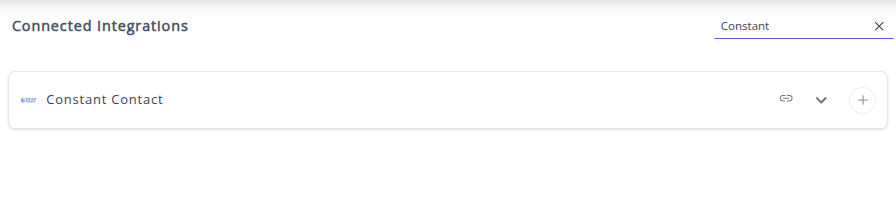
✔️ Once authenticated successfully, you will be directed back to Whatsdash. Your Constant Contact Integration will appear in the Connected Integrations list.
✔️ You can now create or customize dashboards using your Constant Contact Metrics and Dimensions.
👉 How to visualize this data in your dashboard, visit the Dashboard Documentation Guide
🔗 Constant Contact Metrics
The table below lists key Constant Contact Metrics integrated into Whatsdash.
| Name | Category | Why it’s useful |
|---|---|---|
| Bounces | Tracks the number of emails that failed to reach recipients, helping identify deliverability issues. | |
| Bounce Rate | Shows the percentage of emails that bounced, indicating list quality and deliverability health. | |
| Clicks | Measures unique recipients who clicked links, reflecting engagement with email content. | |
| Non-Unique Clicks | Tracks total clicks (including multiple clicks per recipient), showing overall interaction volume. | |
| Click Rate | Indicates the proportion of engaged recipients who clicked, useful for assessing content effectiveness. | |
| Delivered | Shows successfully delivered emails, helping calculate other engagement metrics accurately. | |
| Did Not Open | Counts recipients who didn’t open the email, useful for identifying low engagement segments. | |
| Did Not Open Rate | Percentage of recipients who didn’t open the email, highlighting content or subject line effectiveness. | |
| Forwards | Measures how many recipients shared the email, indicating viral engagement potential. | |
| Open Rate | Shows the percentage of recipients who opened the email, a key metric for campaign performance. | |
| Opens | Counts unique email opens, useful for tracking individual engagement. | |
| Non-Unique Opens | Tracks all opens, including multiple opens by the same recipient, showing content interest. | |
| Send | Number of emails sent, providing a baseline for performance metrics. | |
| Unsubscribes | Counts recipients who opted out, helping monitor list health and content relevance. | |
| Unsubscribe Rate | Percentage of recipients who unsubscribed, important for evaluating email strategy impact. |
🔗 Constant Contact Dimensions
This table lists the key Constant Contact Dimensions for analyzing your email campaigns in Whatsdash.
| Name | Category | Why it’s useful |
|---|---|---|
| Campaign Name | Campaign | Identifies the email campaign, helping analyze performance at the campaign level. |
| Contact Name | Contact | Shows which contact received the email, useful for personalized tracking and engagement analysis. |
| Device Type | Other | Indicates which device was used to view the email, helping optimize emails for mobile, desktop, or tablet. |
| Activity Type | Shows the type of activity (e.g., open, click), allowing detailed engagement analysis. | |
| Email Address | Identifies the recipient email address, useful for tracking deliverability and engagement per user. |
🔗 Explore More Integrations
Whatsdash supports a wide range of marketing, analytics, and eCommerce integrations to give you a holistic view of your business performance.
👉 Visit the Integrations Page to explore all available connections