👤 Account
The Account section in Whatsdash lets you view key details about your store, plan, and account configuration.
This page helps you verify your active plan, Shopify connection, and registered email — all in one place.
🧭 Where to Find It
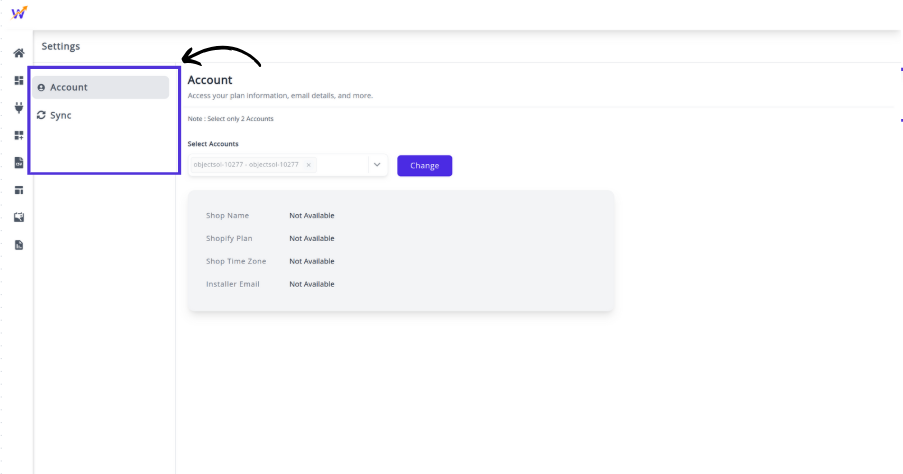 You can access the Account page by navigating to:
Settings → Account in the left navigation panel.
📋 Details Displayed in the Account Section
| Field | Description |
|---|---|
| Shop Name | Displays your Shopify store name connected to Whatsdash. |
| Shopify Plan | Displays your Shopify plan (e.g., Developer Preview, Basic, Advanced). |
| Shop Time Zone | Shows the time zone set in your Shopify account, used for time-based reporting. |
| Installer Email | The email ID associated with your Whatsdash installation. This email receives important notifications and updates. |
💡 Additional Options
-
Receive tips & best practices on reporting & data analysis
Enable this option to get insights and suggestions from the Whatsdash team on improving your analytics and reports.
🧾 Notes : The Account section is view-only — you cannot directly modify any details here.
For plan upgrades, go to your Profile Page and then open the Plans page. If you change your Shopify store information, updates will automatically reflect here after the next data sync.