CSV Files
The CSV Files integration allows you to securely upload and consolidate custom or external business data directly into Whatsdash for reporting and analysis alongside automated metrics.
Why Connect CSV Files to Whatsdash?
Integrating CSV data is crucial for filling data gaps, providing context to automated reports, and ensuring all relevant business metrics are centralized for decision-making.
- Offline Data Inclusion : Upload monthly budget allocations or cost data not tracked in an ad platform to calculate ROAS against actual spend.
- Manual Data Centralization : Import data from proprietary or legacy systems to gain a holistic view of operational performance.
- Cross-Platform Merging : Use a common Date or Customer ID column in the CSV to blend custom data (like lead scoring adjustments) with automated data from integrations like HubSpot or GA4.
📋 Steps to Integrate your CSV Files to Whatsdash
✔️ Navigate to the 'Integrations' page using the navigation bar at the top.
✔️ Select CSV Files from the list of Available Integrations.

✔️ Click the + button to initiate the upload process.

✔️ After clicking + icon, a list of all your explicitly created CSV Templates will appear. Select the template corresponding to the data you wish to upload and analyze in your dashboard.
webp

💡 Need to create a new CSV template? For instructions on structuring and mapping a new template, please visit the CSV Template Creation Guide.
✔️ Once processed, your CSV data integration will appear in the Connected Integrations list.
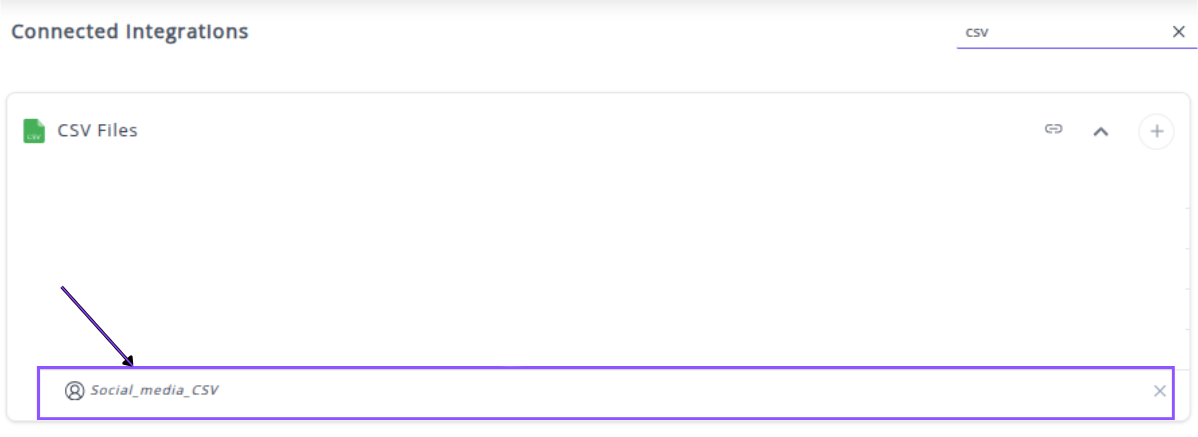
✔️ You can now create or customize dashboards using your custom CSV Metrics and Dimensions.
👉 How to visualize this data in your dashboard, visit the Dashboard Documentation Guide
💡 Tip : For maximum analytical power, ensure your CSV includes a Date column and a common identifier (like Customer ID or Transaction ID). This allows you to blend your offline or budget data with highly granular metrics from your automated integrations (e.g., GA4 or HubSpot).
🔗 Explore More Integrations Whatsdash supports a wide range of marketing, analytics, and eCommerce integrations to give you a holistic view of your business performance.
👉 Visit the Integrations Page to explore all available connections