Omnisend
Omnisend is a powerful email, SMS, and marketing automation platform built specifically for eCommerce, enabling businesses to manage and optimize customer engagement, conversion, and retention across multiple channels.
Why Connect Omnisend to Whatsdash?
Integrating your Omnisend data with Whatsdash transforms your campaign, automation, and segmentation data into clear, actionable reports, making it easier to measure marketing ROI and optimize customer journeys.
-
Simplified Reporting & Dashboards : Get instant, visual reports on Email Open Rates, Click-Through Rates (CTR), and Unsubscribes using pre-built templates without navigating Omnisend’s detailed campaign logs.
-
Custom Metrics & Granular Control : Go beyond standard engagement metrics by creating custom visualizations to analyze Revenue per Email Sent, Placed Order Rate from Automations, and Sales Attribution by campaign type.
-
Data Blending & Cross-Channel Analysis : Blend granular Omnisend campaign revenue with your Google Analytics (GA4) website traffic and Shopify sales data. Calculate the true performance of your email channels versus paid advertising.
📋 Steps to Integrate your Omnisend account to Whatsdash
✔️ Navigate to the 'Integrations' page using the Navigation bar.
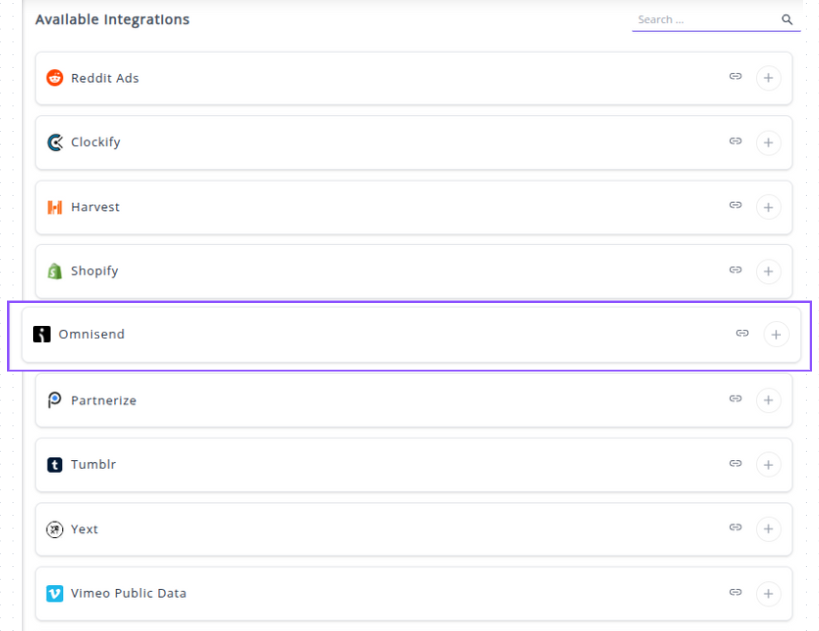
✔️ Select Omnisend from the Available Integrations.
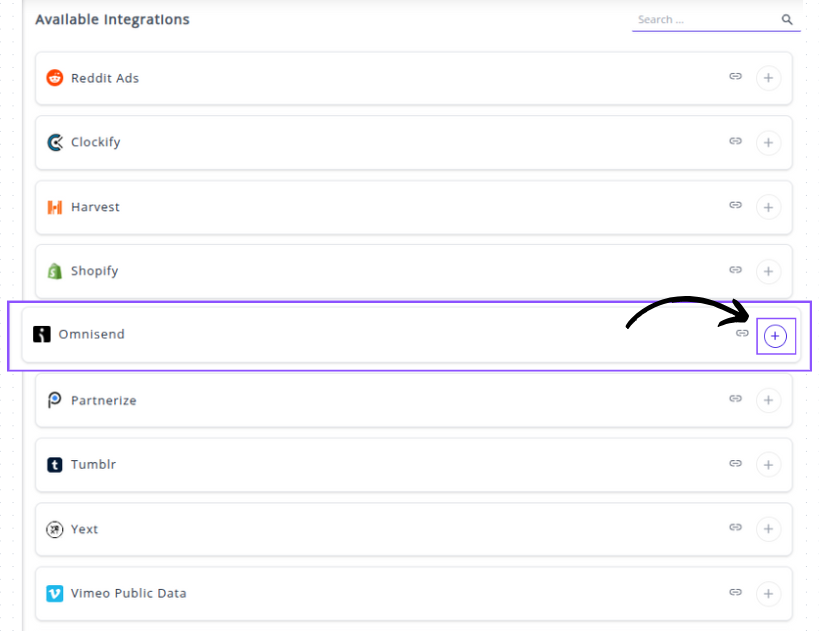
✔️ Click the + button to open the API key input window.
✔️ Generate your Omnisend API Key:

1. Log in to your Omnisend dashboard.
2. Navigate to Store Settings .
3. Find the API Keys section and click to Create API Key.
4. Give the key a clear name .
5. Ensure you select the necessary permissions.
6. Copy the newly generated key.
✔️ Complete the Integration in Whatsdash:

1. In the popup window, enter a descriptive Account Name for your Omnisend store.
2. Paste the copied API Key into the designated field.
3. Click Next button.
✔️ Once authenticated, you will be directed back to Whatsdash. Your Omnisend Integration will appear in the Connected Integrations list.
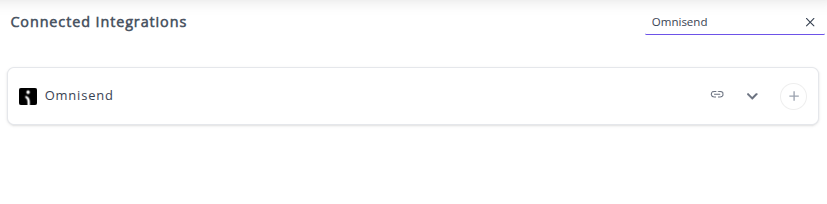
✔️ You can now create or customize dashboards using your Omnisend Metrics and Dimensions.
👉 How to visualize this data in your dashboard, visit the Dashboard Documentation Guide
🔗 Omnisend Metrics
The table below lists the Omnisend Metrics available through the Whatsdash Omnisend Integration.
| Name | Category | Why It's Useful |
|---|---|---|
| Email Sent | Campaign | Total emails successfully sent, key for tracking campaign reach and deliverability. |
| Email Bounced | Campaign | Number of emails that failed delivery, important to monitor list quality. |
| Email Opened | Campaign | Total emails opened, helps measure engagement and subject line effectiveness. |
| Email Clicked | Campaign | Total clicks on links, crucial for evaluating campaign interaction and content performance. |
| Email Unsubscribed | Campaign | Recipients who unsubscribed, helps identify potential audience dissatisfaction. |
| Email Complained | Campaign | Number of spam complaints, critical for maintaining sender reputation. |
| Email Open Rate | Campaign | Percentage of delivered emails opened, standard engagement metric to compare campaigns. |
| Email Click Rate | Campaign | Percentage of delivered emails clicked, shows link/content effectiveness. |
| Email Bounce Rate | Campaign | Percentage of undelivered emails, monitors list hygiene and deliverability. |
| Email Unsubscribe Rate | Campaign | Percentage of unsubscribes relative to sent emails, indicates campaign fatigue. |
| Email Complaint Rate | Campaign | Percentage of recipients who complained, helps track spam issues and compliance. |
🔗 Omnisend Dimensions
The table below lists the Omnisend Metrics available through the Whatsdash Omnisend Integration.
| Name | Category | Why It's Useful |
|---|---|---|
| Device | Campaign | Shows device type distribution for opened emails, useful for optimizing email design and targeting. |
| Campaign ID | Campaign | Unique identifier for the campaign, essential for tracking, reporting, and integration. |
| All Contacts | Campaign | Indicates if campaign was sent to all contacts or specific segments, useful for analyzing reach. |
| From Name | A/B Test / Campaign | Name displayed in the 'From' field, important for A/B testing and engagement analysis. |
| Email Subject | A/B Test / Campaign | Subject line of the email, critical for open rate performance and testing. |
| Campaign Name | Campaign | Name of the campaign, useful for reporting, tracking, and organizing campaigns. |
| Campaign Status | Campaign | Status of the campaign (sent, draft, etc.), helps monitor progress and workflow. |
| Campaign Type | Campaign | Type of email (standard, automated), useful for segmentation and performance analysis. |
| Segments | Campaign | Targeted segments for the campaign, helps measure audience-specific performance. |
| Excluded Segments | Campaign | Segments excluded from the campaign, useful for precision targeting and reporting. |
| Day Of Month | Time | Campaign send day (DD), useful for trend analysis by day. |
| Month | Time | Campaign send month (MM), helps identify monthly patterns. |
| Year | Time | Campaign send year (YYYY), important for yearly reporting. |
| Week | Time | Week number of the year (WW), useful for weekly trend analysis. |
| Week (ISO) | Time | ISO-standard week number, ensures consistent reporting internationally. |
| Day Of Week Name | Time | Full day name (Tuesday, etc.), helpful for weekly engagement analysis. |
| Day Of Week Name (ISO) | Time | ISO-standard day name, ensures consistency for multi-country reporting. |
| Year Of Week | Time | Year associated with the week, important for weekly-based reporting. |
| Year Of Week (ISO) | Time | ISO-standard year of the week, ensures consistency for ISO week analysis. |
| Year Month | Time | Year and month combined (YYYYMM), used for monthly trend analysis. |
| Year Week | Time | Year and week combined (YYYYWW), useful for weekly reporting. |
| Year Week (ISO) | Time | ISO-standard year and week (YYYYWW), ensures alignment with ISO week system. |
| Date | Time | Full campaign date (YYYYMMDD), essential for day-specific analytics. |
🔗 Explore More Integrations
Whatsdash supports a wide range of marketing, analytics, and eCommerce integrations to give you a holistic view of your business performance.
👉 Visit the Integrations Page to explore all available connections