Snapchat Ads
Snapchat Ads is a powerful advertising platform that helps brands connect with a young, engaged audience through immersive, full-screen video, image, and AR experiences.
Why Connect Snapchat Ads to Whatsdash?
Connecting your Snapchat Ads account to Whatsdash allows you to consolidate all your paid social media performance data into a single, unified marketing dashboard for efficient analysis and optimization.
-
Unified Cross-Channel Reporting: Blend your Snapchat ad spend, impressions, and conversions with data from platforms like Google Ads, Facebook Ads, and Google Analytics to get a true, single view of your overall marketing ROI.
-
Deep Engagement Insights: Pull detailed metrics like Swipe Ups, Impressions, and Video Views by percentage to fully understand ad creative performance and user engagement depth.
-
Streamlined Optimization: Use Whatsdash's visual dashboards to quickly identify high-performing campaigns, ad sets, and creatives, allowing you to optimize your Snapchat budget and targeting without complex data exports.
📋 Steps to Integrate your Snapchat Ads Account to Whatsdash
✔️ Navigate to the 'Integrations' page using the Navigation bar.
✔️ Select Snapchat Ads from the Available Integrations.
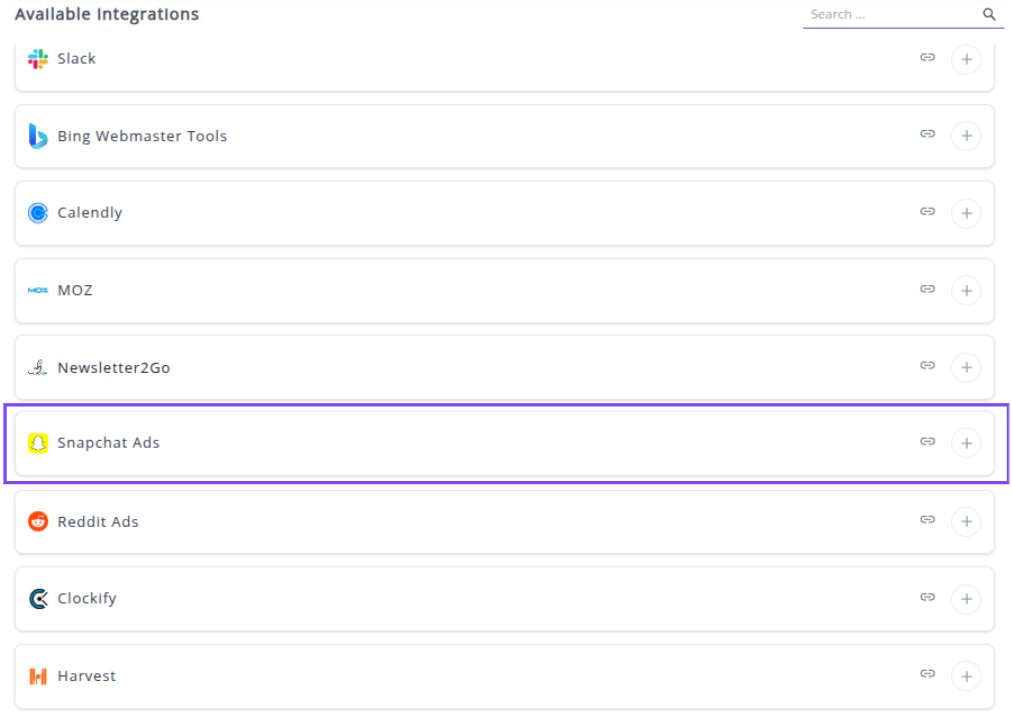
✔️ Click the + button to open the Snapchat authorization window.

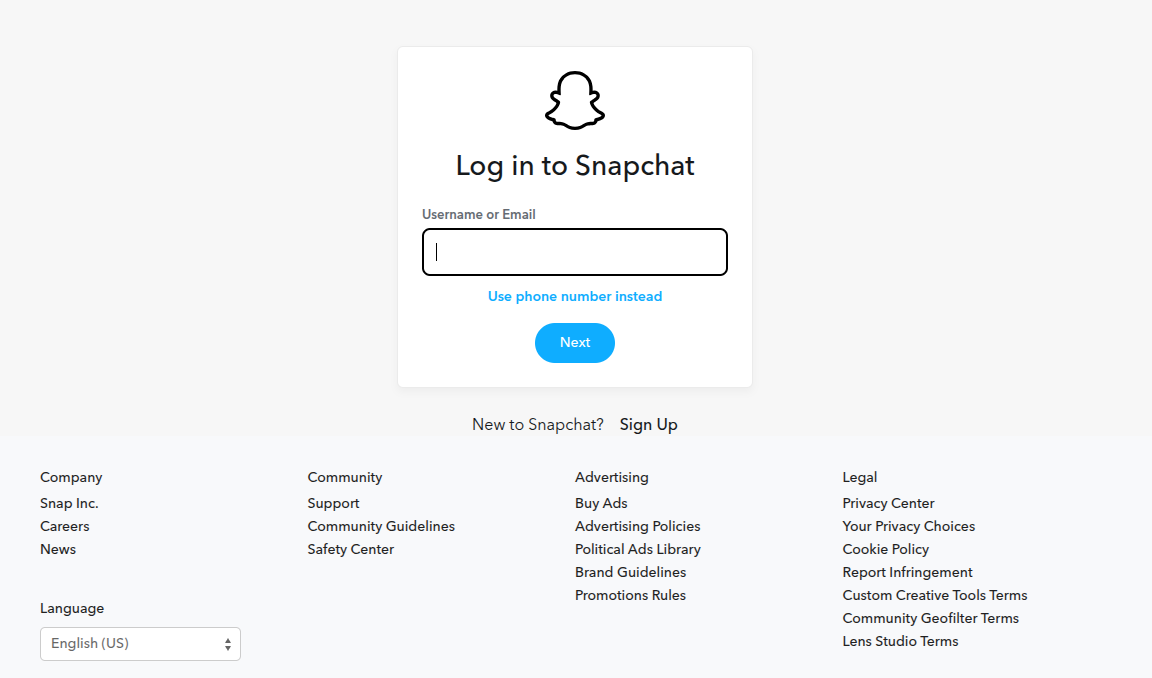
✔️ You will be redirected to the Snapchat Sign-in page. Enter your Snapchat Business Manager credentials.
✔️ Review and Accept the permissions requested by Whatsdash to Read your Snapchat Ads data. This allows Whatsdash to access your campaign, ad set, and ad-level performance metrics.
✔️ Once authenticated, you will be directed back to Whatsdash. Your Snapchat Ads Integration will appear in the Connected Integrations list.
✔️ You can now create or customize dashboards using your Snapchat Ads Metrics and Dimensions.
👉 How to visualize this data in your dashboard, visit the Dashboard Documentation Guide.
🔗 Snapchat Ads Metrics
The table below lists the Snapchat Ads Metrics available through the Whatsdash Snapchat Ads Integration.
| Name | Category | Why It’s Useful |
|---|---|---|
| Spend | campaigns | Shows the total money spent on campaigns for budgeting and ROI analysis. |
| Paid Reach | campaigns | Indicates the number of unique users who saw your ad through paid promotion. |
| Impressions | campaigns | Total number of times ads were displayed; helps measure ad exposure. |
| Frequency | campaigns | Average impressions per user; useful to avoid overexposure. |
| eCPM | campaigns | Effective cost per 1,000 impressions; helps evaluate ad efficiency. |
| Swipe Ups | campaigns | Measures engagement by counting how many users swiped on the ad. |
| Swipe Up Rate | campaigns | Shows average swipes per impression; evaluates engagement effectiveness. |
| eCPSU | campaigns | Cost per swipe up; helps determine ROI for engagement actions. |
| Video Views | campaigns | Total views of your video ad; measures content reach. |
| View Completion | campaigns | Shows how many users watched the entire video; measures engagement quality. |
| Attachment Frequency | campaigns | Average times an attachment is associated with user interactions; measures content interaction. |
| Attachment Reach | campaigns | Number of unique users interacting with attachments; measures reach of secondary content. |
| Conversion Purchases Value | campaigns | Total revenue from purchases driven by the ad; evaluates financial performance. |
| Conversion Purchases | campaigns | Number of purchase events attributed to the ad; measures conversions. |
| ROAS | campaigns | Return on ad spend; evaluates overall campaign profitability. |
| Total Screen Time | campaigns | Cumulative time users spent watching ads; measures attention. |
| Avg Screen Time | campaigns | Average seconds watched per impression; indicates ad effectiveness. |
| eCPV | campaigns | Cost per video view; measures efficiency of video ads. |
| Conversion Rate | campaigns | Percentage of users completing a desired action; measures campaign effectiveness. |
| Quartile 1 Views | campaigns | % of users who watched at least 25% of video; tracks engagement progression. |
| Quartile 2 Views | campaigns | % of users who watched at least 50% of video; monitors mid-point engagement. |
| Quartile 3 Views | campaigns | % of users who watched at least 75% of video; measures high engagement. |
| Attachment Quartile 1 | campaigns | % of users interacting with attachment and viewing 25%; measures partial attachment engagement. |
| Attachment Quartile 2 | campaigns | % of users interacting with attachment and viewing 50%; tracks moderate engagement. |
| Attachment Quartile 3 | campaigns | % of users interacting with attachment and viewing 75%; tracks high engagement. |
| Attachment View Completion | campaigns | % of users who watched the entire attachment; measures full engagement. |
| Attachment Total View Time | campaigns | Total time users spent on attachments; evaluates user attention to additional content. |
🔗 Snapchat Ads Dimensions
The table below lists the Snapchat Ads Dimensions available through the Whatsdash Snapchat Ads Integration.
| Name | Category | Why It’s Useful |
|---|---|---|
| Ad ID | ads | Helps track individual ad performance for reporting and optimization. |
| Ad Set ID | adsquad | Useful to monitor performance and allocation at the ad set level. |
| Campaign ID | campaigns | Enables evaluation and comparison of different campaigns’ effectiveness. |
🔗 Explore More Integrations
Whatsdash supports a wide range of marketing, analytics, and eCommerce integrations to give you a holistic view of your business performance.
👉 Visit the Integrations Page to explore all available connections